 Easy read and translate

Screen time
- 0-1 Years
- 1-5 Years
- SEND
- Child development and growing up
- Speech, language and communication
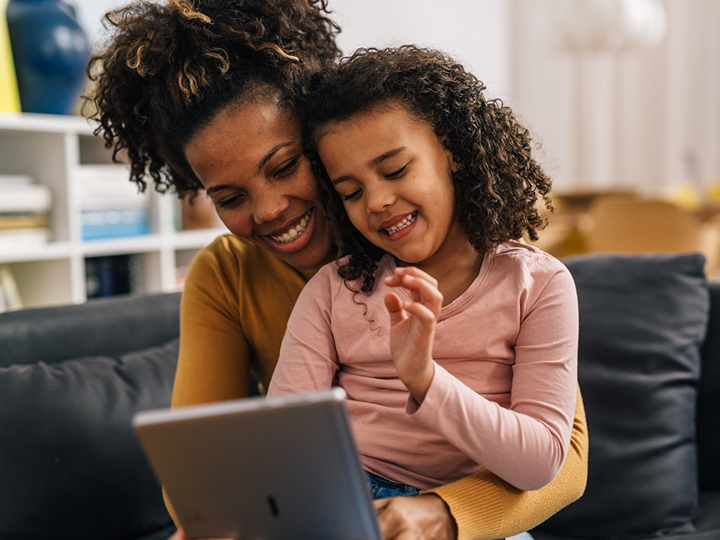
Screens can be a big part of children's lives. They include televisions, phones, tablets and computers. Screens can be fun and educational, but too much screen time can affect how children and young people develop, learn and communicate. It's important to find a balance between using technology and supporting your child's development.
Explore the topics on this page:
Understanding screen time
Children learn to talk and communicate best by spending time with others. Talking, playing, taking turns and listening to the sounds around them all help to develop language.
Children learn new words and sentences when adults talk to them about daily life. For example, naming things when cooking or talking about what you see on a walk. More screen time may mean less time for these everyday conversations.
Spending too much time in front of screens can affect children and young people in lots of ways, including:
- slower language development
- missing out on real life learning experiences
- poor attention and listening skills
- poor sleep
Screens can be fun and offer learning opportunities. But it's important to find a healthy balance with screen use, including:
- what you use them for
- when you use them
- who you use them with
- how long you use them for
Finding a healthy balance with screen time
Healthy screen habits help children enjoy technology while supporting their health and development. So it's important to find a balance between using screens and enjoying other activities. There are lots of things you can do to help your child develop healthy habits.
Create a family digital plan
Agree together on clear boundaries for screen use. This could include:
- having screen-free mealtimes
- keeping phones away during play
- not using screens in cars or pushchairs
Use these spaces for talking, reading and spending quality time together.
Set a time each day for any screen use, including watching TV. This helps children know what to expect.
Talk and play together
Talking face-to-face is one of the best ways to support speech and language. Spend time each day talking, asking questions, explaining what you’re doing and playing together. Read more about playing and social skills.
Set limits and routines
Try to keep screen time to less than 1 hour a day for children aged 2 to 4 years old. It's recommended that babies and toddlers under the age of 2 do not need screen time.
Avoid screen use before bedtime and keep devices out of bedrooms overnight to help children relax and sleep better. Read more about healthy sleep routines.
Use device settings to block inappropriate content, manage access to apps and set time limits where needed.
Use screens positively
If your child is using screens, try doing it together and turn it onto a fun learning opportunity. Talk about what you see, such as the characters, locations or scenes. You could try copying a favourite character or acting out a scene together. Try to predict what might happen next or connect the storylines to real life experiences.
Choose longer-form, age-appropriate content where possible. Fast-paced short clips can affect a child's attention span. Read more about how to use screens in a safe and healthy way with your child.
Spend time online together to help your child get the most out of educational content. Talk to your child about what they are doing on their phones and computers. Read more about technology and online safety.
Encourage offline activities
Help your child develop skills away from screens. Reading books together is a great way to improve language, imagination and connection. Arts and crafts, outdoor activities and unstructured play are good ways to help your child learn, move and be creative. Unstructured play is also known as free play. It is a type of play where children are free to choose an activity they enjoy, without guidance from adults.
Try not to use screens to calm or distract your child. This can make it harder to manage their emotions over time.
Be active
Being active and getting outside can improve their physical health and emotional wellbeing. Try to encourage lots of movement throughout the day. Outdoor play lets children experience different colours, sounds, animals and people. These are great opportunities for learning and talking.
Encourage your child to find ways of being active that they enjoy. This will help to keep them motivated. Read more about keeping babies, children and teenagers active.
Be a role model
Children learn best by watching adults, so try to limit your own screen time. The choices you make about your own screen use can have a positive effect on your child's use of screens.
Have regular screen free time, including turning the TV off and not using your phone when talking or playing together. These can be distracting for children and lessen the opportunity to connect. Even checking your social media or text messages during play can affect the quality of your time together.
When you do use screens, try to use them in a positive way as much as possible. This might be using a device to exercise or meditate. Or you may choose to video call a family member.
Last reviewed: 11 February, 2025
